
Tech proceduresSystem integration
Connecting a haematology analyser to the lab system
Our lab middleware links a Mindray BC-5000 haematology analyser to the laboratory system, so blood count results reach the patient record without being typed in again.
Typing results from an analyser into the lab system takes time and invites mistakes. For this lab we connected a Mindray BC-5000 haematology analyser to the laboratory information system (LIS) using the Albitech lab middleware.
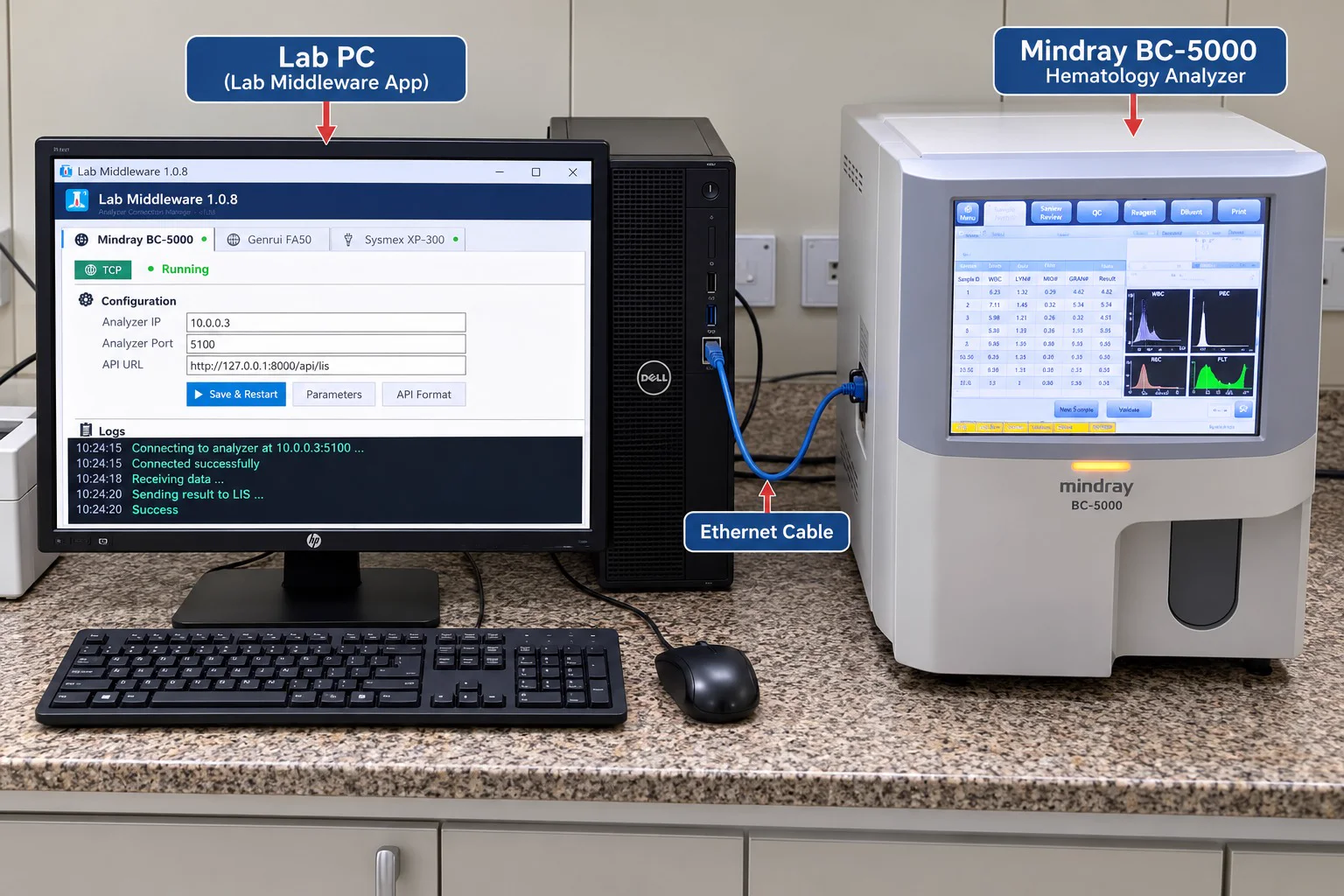
The middleware runs on the lab PC and talks to the analyser over the network. As each sample finishes, it reads the results and sends them to the LIS, which files them against the right patient.
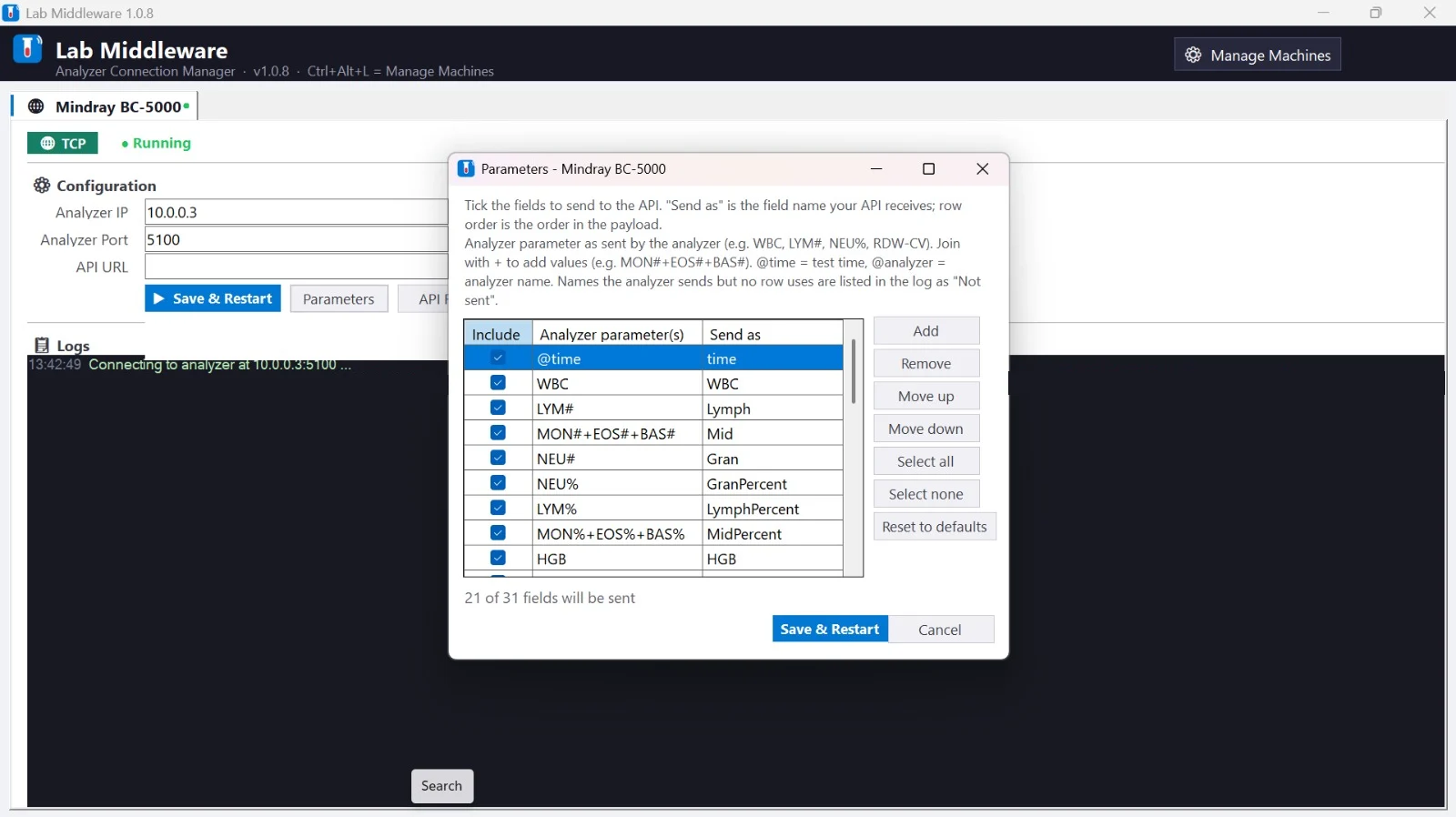
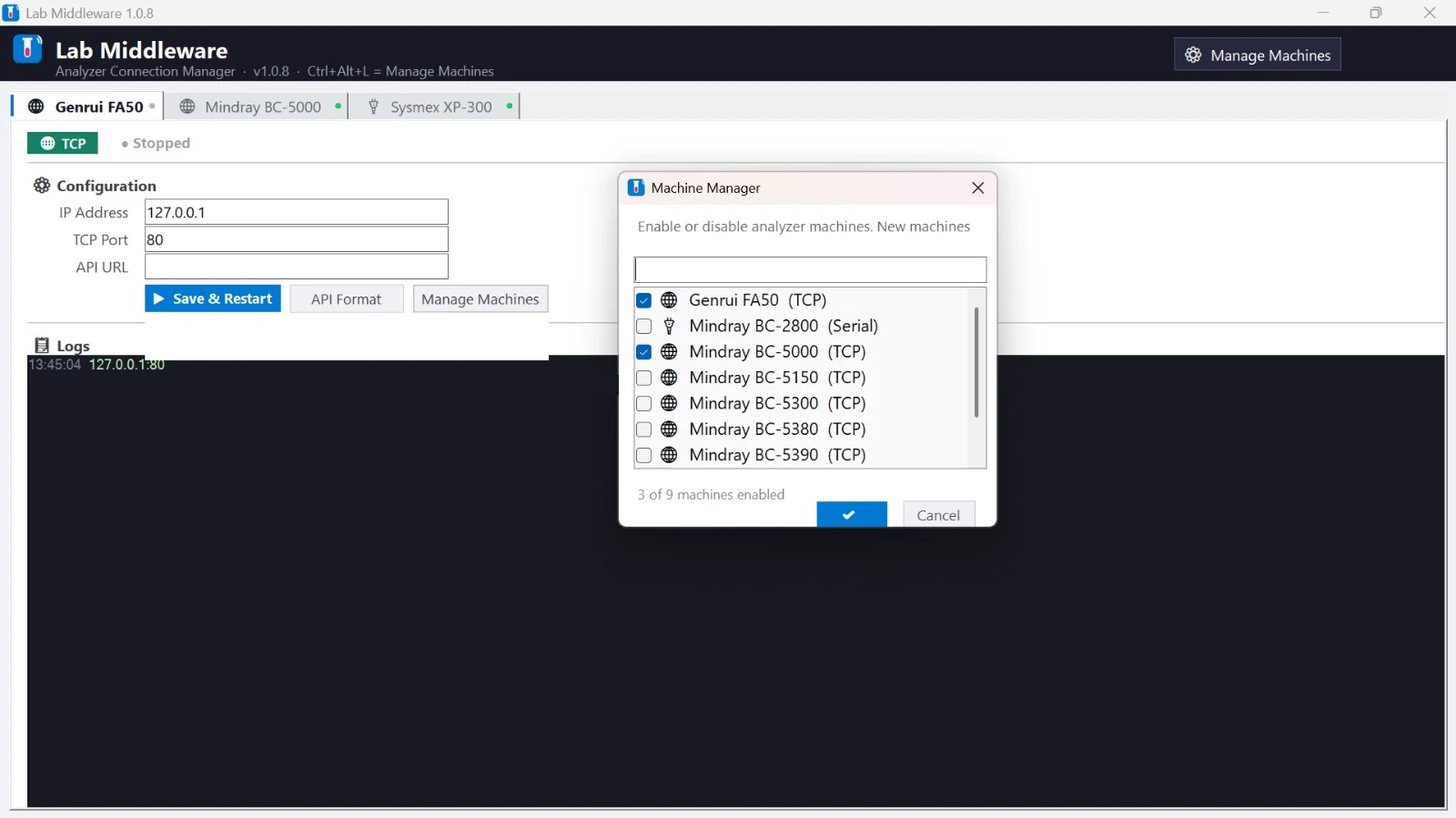
For each analyser we choose which results are sent and under which names, so the LIS receives exactly the fields it expects. Other analysers, such as the Genrui FA50 and Sysmex XP-300, are added as tabs in the same window.
- Illustration
The setup
The lab PC runs our middleware, cabled to the analyser.
-
Choose the results
We pick which results are sent, under the names the LIS expects.
-
Every machine, one window
Each analyser gets its own tab, switched on in the machine manager.
-
Results arrive in the LIS
Screen recording: results pass from the middleware to the LIS.
- Photo to come On site with the lab team
On site with the lab team
Photo to come: our technician testing the connection with lab staff.
Follow one sample
Simulation · sample dataTap a box to see what it does.
| Result | Value | Sent as |
|---|---|---|
| WBC | 6.1 | WBC |
| LYM# | 2.0 | Lymph |
| NEU% | 58.2 | GranPercent |
| HGB | 13.4 | HGB |
| PLT | 245 | PLT |
Results reach the patient record without being typed in again.